 Tidyfold
Folders for your ChatGPT chats.
Group conversations into folders and subfolders right in the ChatGPT sidebar. Everything stays on your device.

Folders & subfolders
Nest as deep as you like. Color-code, rename, reorder by drag.
File a chat in one click
Drag it in, right-click it, or use the folder icon on any chat row.
Search what you saved
Find any filed chat instantly. Titles stay in sync with ChatGPT.
Private by design
One permission, no account, no cloud. Anonymous usage stats only, with an off switch.
How it looks
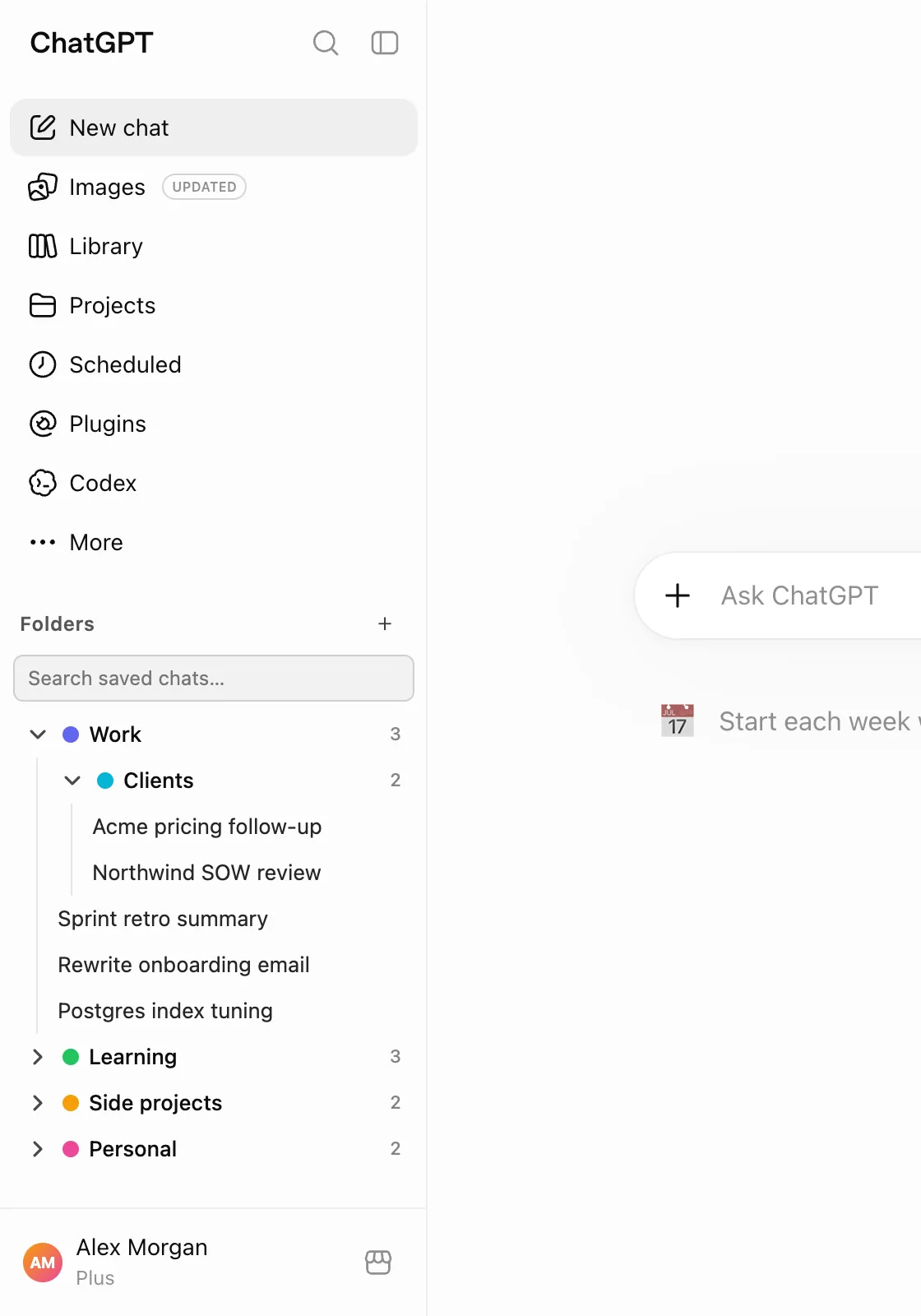
Folders where your chats already are
The panel sits in the ChatGPT sidebar, above Recents. Nest folders as deep as you like, give each a colour, and see how many chats are inside at a glance.
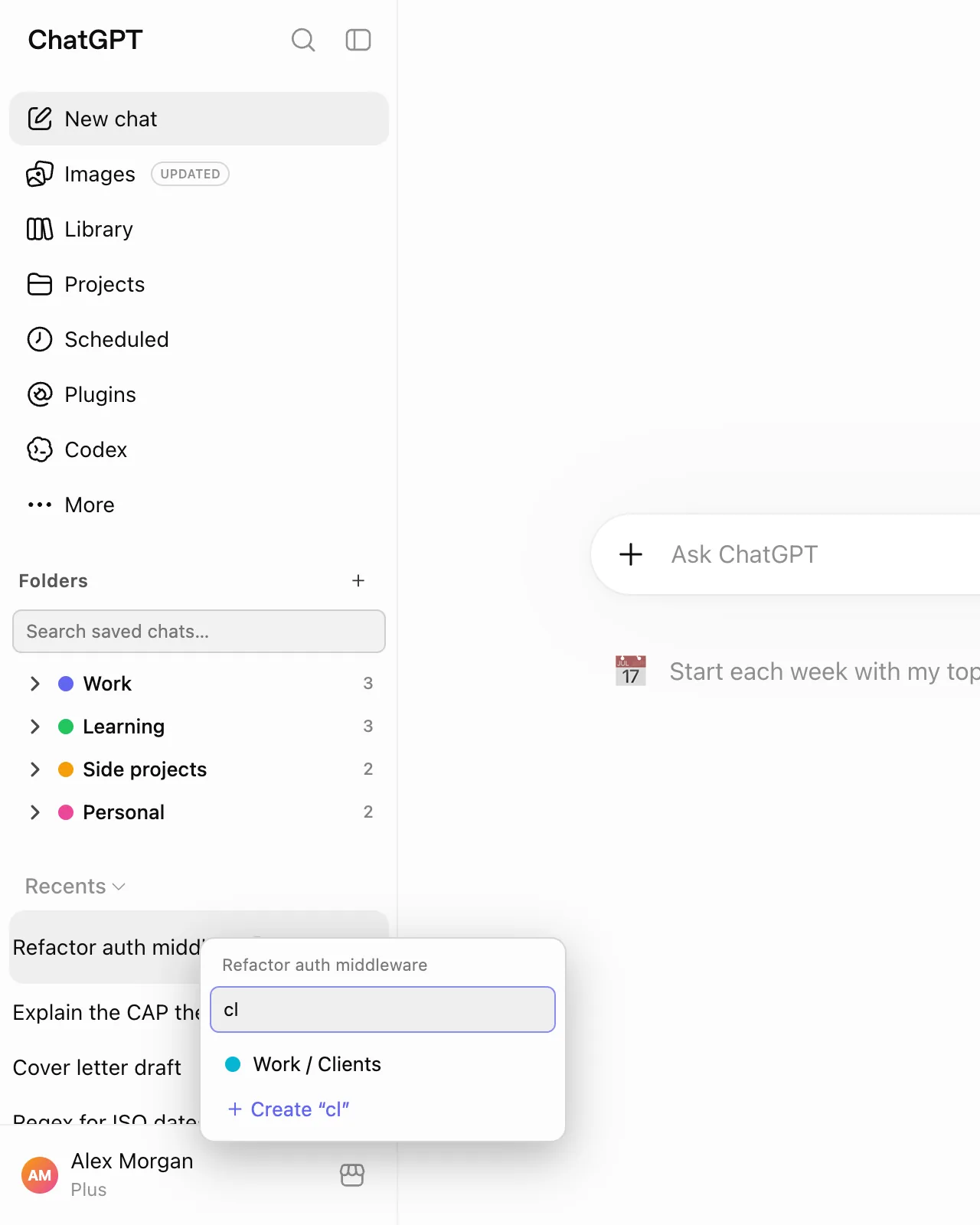
File a chat in two clicks
Right-click any chat, or use the folder icon that appears on hover. Type a few letters to find the folder, or create a new one on the spot.
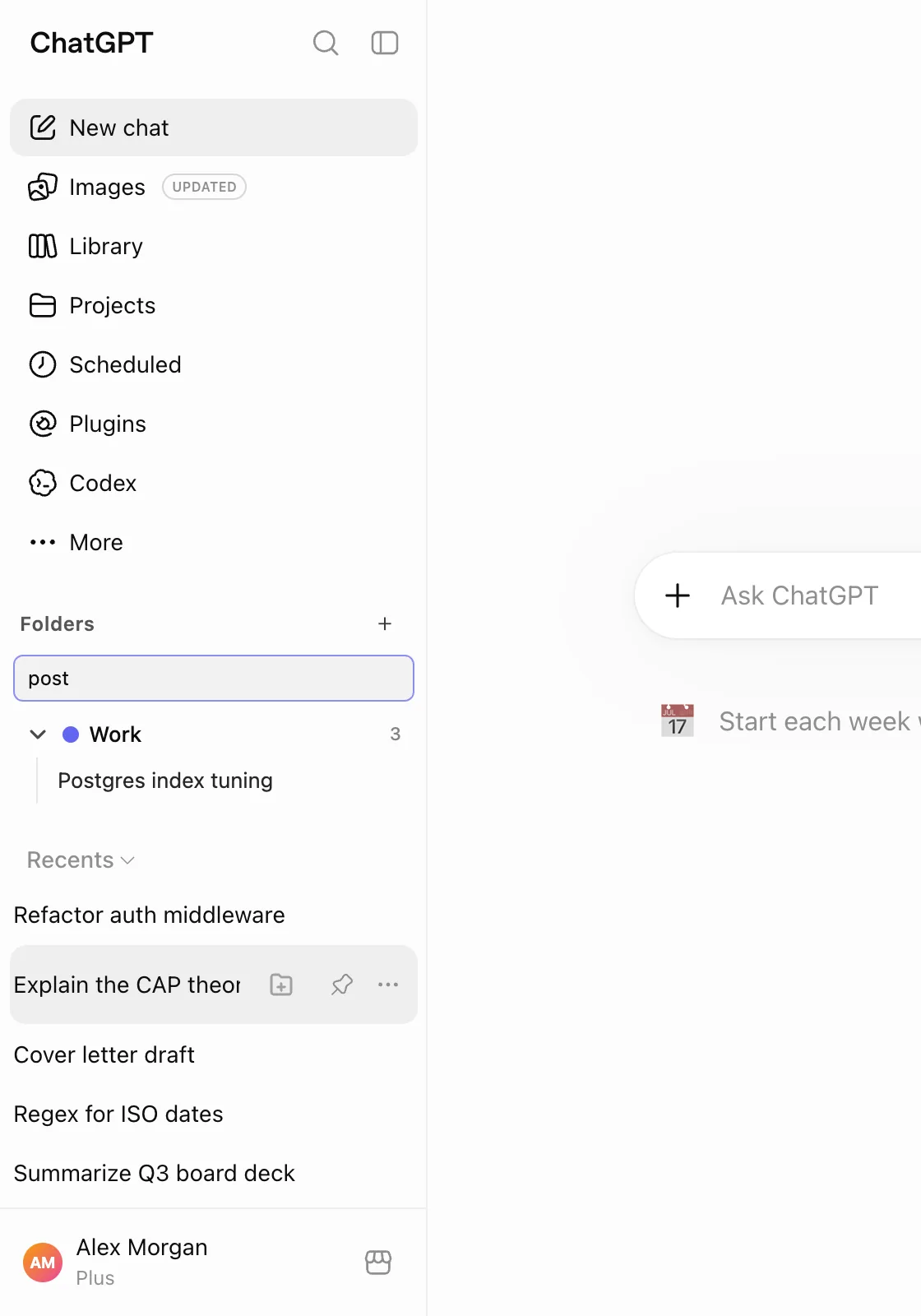
Find anything you filed
Search across every saved chat. Titles stay in sync when ChatGPT renames a conversation, so what you filed last month is still findable.
Why not just use Projects?
ChatGPT Projects group chats around one initiative with files and instructions, but they are flat and heavyweight. Tidyfold folders are just labels: nest them, move chats freely, and nothing changes on OpenAI's side.
What Tidyfold can see
- Chat titles and their URLs, as shown in your sidebar, for the chats you file.
- Nothing else. It never reads message content, cookies, or your session token.
Tidyfold collects anonymous usage statistics (which features get used, never titles, URLs or messages) to improve it; switch them off any time in the popup. Full details in the privacy policy.
